
See the latest Galaxy Watch 5 or 5 Pro deals: https://howl.me/citTZPVvjBI
Galaxy Watch 5 on Amazon: https://amzn.to/3RdW9gl
Galaxy Watch 5 Pro on Amazon: https://amzn.to/3SBdK2T
Here are the first 15+ things you should do on your Samsung Galaxy Watch 5 or Galaxy Watch 5 Pro! I’ll be showing you guys some powerful and useful features as well as giving you some tips and tricks on how to set up your Galaxy Watch 5 to get the most out of it.
Don’t forget to subscribe and turn on notifications so you don’t miss my full Galaxy Watch 5 Pro Review!
https://www.youtube.com/techisodetv?sub_confirmation=1
THIS is why Bixby is Amazing on the Galaxy Watch:
“But the fruit of the Spirit is love, joy, peace, forbearance, kindness, goodness, faithfulness, gentleness and self-control. Against such things there is no law.”
Galatians 5:22-23
Timecodes:
00:00 Get reoriented
00:42 Get a better assistant
01:06 Add a Google Assistant Shortcut
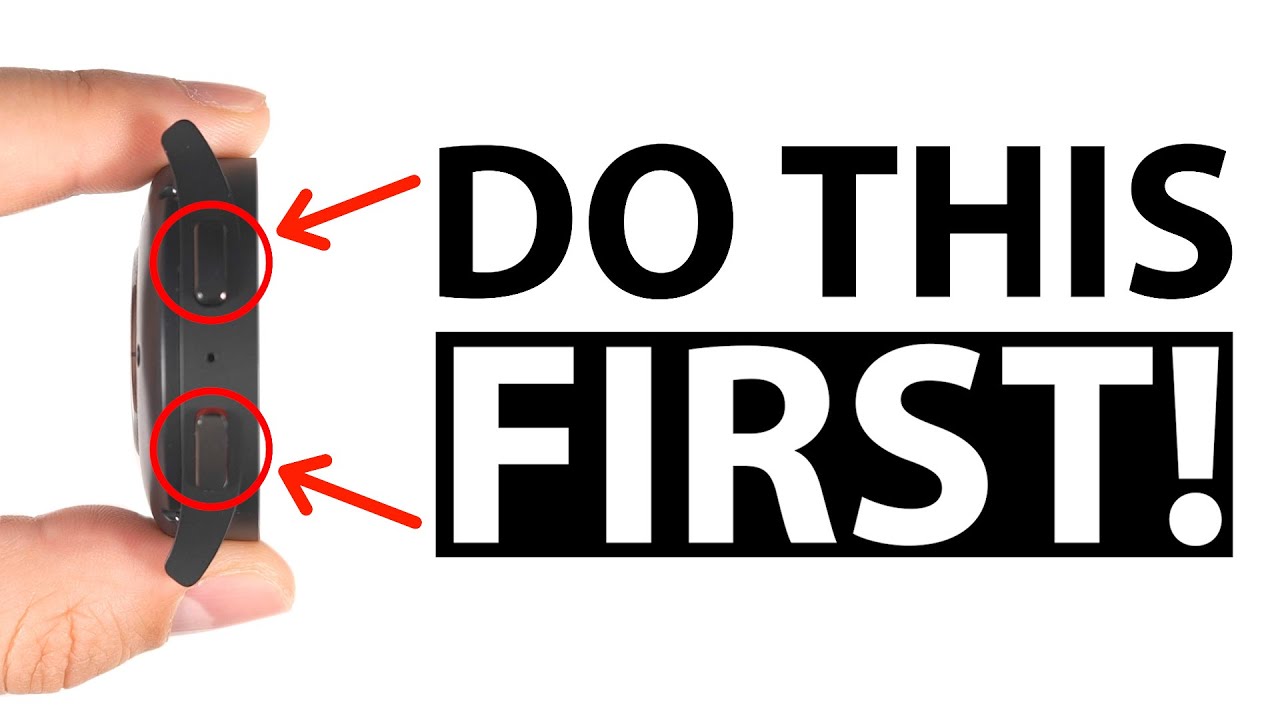
01:30 Customize your side keys
02:08 Wait… Bixby isn’t trash?
03:37 Get rid of the redundant button
04:13 Transfer your phone apps to the watch
04:30 Do THIS with your music apps
05:14 You NEED this app on your watch
07:16 Customized tiles
07:56 Samsung Pay or Google Wallet?
08:41 Two workarounds
09:23 Change these health features first!
11:33 Customize your health screen
12:04 Faster Messaging
12:40 Message faster than your phone
14:24 Quicker Quick Toggles
15:02 Get the right notifications
16:03 Stop the thief…
16:30 Unknown Features Coming Soon
*This description includes affiliate links. If you purchase a product through one of those links, Techisode TV gets a small commission at no extra cost to you. This is one of the main sources of income used to purchase products to review and cover travel expenses to product launch events.
#GalaxyWatch5 #Tips #Features
See the latest Galaxy Watch 5 or 5 Pro deals 👉 https://howl.me/citTZPVvjBI
Galaxy Watch 5 on Amazon: https://amzn.to/3RdW9gl
Galaxy Watch 5 Pro on Amazon: https://amzn.to/3SBdK2T
Don't forget to subscribe and turn on notifications so you don't miss my full Galaxy Watch 5 Pro Review!
https://www.youtube.com/techisodetv?sub_confirmation=1
*AffiliateLinks
I don't have the apps on my phone option in the play store
how do you get in the calendar to show the first day in the week to be red in color?
How do you get the find my watch location?… I have S21. Please reply someone? Thank you!
This app doesn't work outside of Samsung products. I have a Sony Bravia and it not sync with the home device. It's waste of time trying to figure it out!
thanks for this informations .
Is it possible to get a Samsung smart watch (4 or 5) to use the Chamberlain myQ app to open the garage door?
That first tip is really great
first thing I did is not buy. Because LTE model has big issue that goes to airplane mode or unusual mode if no lte signal.
Really good video. Lot of nice infos. I have a question regarding quick responses, I am not having the option to send localization. Is there something to unlock?
Thanks for the tips and tricks, much appreciated. Even got the USB-C extender and mount 🙂
They should recommend this video when selling these watches, seriously, even fairly tech savvy people like me can't get everything these watches can do. You will always find something to learn about your new watch. I haven't had a smart watch for like 8 years so.. Yeah, there's more to learn than you think. I appreciate this video!
Can you call me to set up my watch and phone 😂that’s was a lot. can the watch detect if you left your phone behind.
Havent been to your channel in awhile, but is my go to place for anything samsung or just tips and tricks. Great to see your channel getting the subs you deserved. Happy that I was one for the few that joined when the channel was young. Love your tips….clean clear and to the point. Keep it up please. Not sure if you do tips and tricks outside of the samsung ecosystem but that would be awesome.
My S2 is still good for work and Frontier S3 is still good for motorcycle rides.
What tablet is that???
bible notifications OFF? You put the lord himself on do not disturb!!!
Just out of curiosity…. does anyone actually keep the standard "silver" band which comes with the silver version of the galaxy watch 4 classic?
Wait what keyboard is that??
What model of phone is that at 13:15, please.
How can I do those things first, if I can't even get this dumb watch to connect to my phone??
#fail
There's no reason to change the side of those watch buttons.
The reason is because the The composition body feature.
If you put it on backwards with the buttons up towards your wrist you can never do the composition of your body which is kind of dumb cuz that is one of the best features of the watch.
And it's about 97% accurate which is amazing for a watch compared to the best bioelectrical non-watch devices out there
Hi, on the Galaxy 5 44m I thought we were meant to be able to check body temp.. to keep an eye on fevers? 🤒
Used like 90 percent of the stuff in this video thanks man
Super helpful video! Thank you for taking the time to make it!
Name of the watchface?
why my: find my watch not have all the options shown in the video? i only have the option to make it ring and vibrate
Can i use this watch with philip hue? cheers
What sucks is you have to have a pin or pattern when you use Google wallet. Huge pain in the butt
Video is much appreciated! Finally decided to trade in my Galaxy 3 watch for the Galaxy watch 5 Pro. 💪🏽 ⌚️
Help.! I can't get the Google Assistant to set up.. 😭
Great video, thanks!
Hmm maybe should try bixby only for the change or workouts as I only ever use other or circuit training as is a faff to keep stopping and lowering your heart rate!
I don't seem to have a keyboard to reply to text though tried Googlong to see if it is a setting and nothing comes up? I just have voice or pre set replies.
Thanks!
Thank you for the tips. Do you know if there a way to make the music auto start playing when I start a workout ? I had this on my Apple Watch and it's very handful. thnaks
My Google assistant doesn't seem to hear me as much as I ask it something! How can I get it to work
Excellent video. Thank you, it will be a big help. Also I'm very disappointed that tho the full alert bell is set, I no longer am getting your video alerts. Chek w your other subs as they might be losing out as well.
Have you tried to go in the sauna with the watch? I wonder if it takes some heat?
Stay away from the Samsung Galaxy Watch 5 Pro. I've exchanged mine 4 times for overheating in LTE only mode. I ended up canceling the contract.
What are the lights you have? @techisodetv
Genuinely curious, do your old watch faces you purchased on older watch generations still work on here?
Is there a tile similar to SmartThings for Google Home?
I'm left handed and this is a God send for me
This video was awesome
Edit: I use Bixby all the time. As I work on cars and my hands are often dirty.
Really want to do the snore detection but it doesn't show up under blood oxygen during sleep for me
Very important:
Although Samsung's body composition feature is a great way to monitor your health and fitness data, some people should not use the feature. Before you get started with body composition analysis on your Galaxy Watch 4 or Watch 5,:
Do not use the feature if you have a pacemaker or similar device implanted in your body.
Pregnant people should not use the feature.
I really wish all of you would include this warning!
is this with the base watch or the lte version?
Upgraded to this watch from the galaxy active 2, absolutely love it!!!
I can't find apps on your phone ???
All of these watch batteries are junk. Just another scam from china. Buyer's beware