
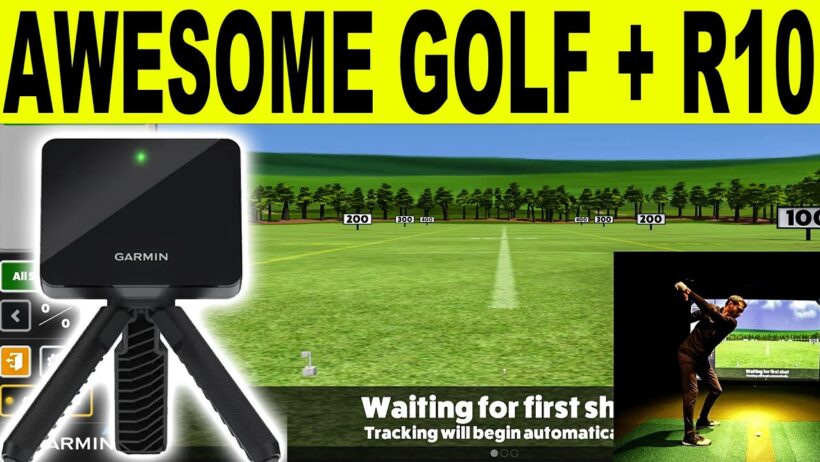
Awesome Golf Simulator UPDATE! NOW Garmin R10 Compatible! (First Look & Review)
Awesome Golf Simulator Software is now compatible with the Garmin R10 Approach Golf Launch Monitor! Watch out first look review using the awesome golf simulator software paired with Garmin R10 as we demonstrate shots, show data results, and even play virtual golf.
Looking to Buy the Garmin R10? Use this link and pay NO TAX and get FREE SHIPPING : https://topshelfgolf.com/products/garmin-approach-r10-launch-monitor-and-golf-simulator?aff=2
#awesomegolfsimulator #garminr10 #awesomegolf #golf #garmin #garminapproachr10 #golfer #golfing #review #e6connect #indoorgolf #garmin approach
About Awesome Golf Simulator Software
ABOUT AWESOME GOLF
Helping golf simulator owners and driving ranges reach a new level of fun and enjoyment by making it easy to play and compete together with friends, family and children.
Play Outdoors, Invite Your Friends Round & Hit Some Golf Balls
Powered by FlightScope’s 3D Doppler radar technology this reliable, accurate data capture will give you incredible insight into your game.
Invite your mates round for golf, take them on in competitive games, play with your kids or improve your game.
The Garmin Approach R10 portable golf launch monitor uses radar to analyze several metrics like your club path, launch angle, ball speed, and estimated distances and direction. It does not use GPS, but based on its placement to the ground, it will be able to provide shot data without GPS data or elevation information. The accuracy for the radar metrics are outlined below.
Garmin R10 Radar Accuracy
Measured by radar
Club head speed accuracy: +/- 3 mph
Ball speed accuracy: +/- 1 mph
Launch angle accuracy: +/- 1 degree
Launch direction accuracy: +/- 1 degree
Calculated by algorithm
Club face angle accuracy: +/- 2 degrees
Apex height accuracy: +/- 5 feet
Carry distance accuracy: +/- 5 yards
The accuracy depends on proper placement of the Approach R10.
Fine-tune your game
With the Garmin Approach R10’s new Training Mode feature, golfers can track stats for each club and easily break down a slick shot dispersion chart based on estimated ball flight.1 Once training is out of the way, users can take their game worldwide with the Home Tee Hero simulator and enjoy friendly weekly tournaments with all the scores posted to a leaderboard on the Garmin Golf app.2 What’s more, automatically recorded video clips showing real stats overlaid on each shot can be stored in the cloud so golfers can see and analyze their own swing.
And with the introduction of the Garmin Golf app premium membership, Garmin Approach R10 owners can take advantage of a free 30-day trial to virtually test out courses before a trip or courses close to home with the Home Tee Hero golf simulator. In addition, premium members receive access to weekly tournaments that offer a new random course every week. The Garmin R10 also provides direct compatibility with the E6 CONNECT library3 of content with photorealistic courses that can be played at any time to enhance the overall golfing experience.
The Garmin R10 includes a versatile phone mount that golfers can easily attach to a golf bag or place on the ground as a kickstand to improve viewing during play and accessibility with the Garmin Golf app. And with up to 10 hours of battery life, golfers can play longer with the Approach R10. Available now, the Approach R10 portable golf launch monitor has a suggested retail price of $599.99.
PHYSICAL DIMENSIONS 3.5″ x 2.8″ x 1″ (88.5 x 70.25 x 25 mm) without tripod
WEIGHT
Without tripod: 5.22 oz (148 g)
With tripod: 7.79 oz (220.8 g)
BATTERY TYPE internal rechargeable lithium-ion
BATTERY LIFE
up to 10 hours
WATER RATING IPX7
INTERFACE: Micro USB
TRACK MORE METRICS
Work to improve your shot consistency by tracking metrics such as club head speed, ball speed, spin, launch angle, launch direction, smash factor and more.
AUTOMATICALLY RECORDS VIDEO
See and analyze your own swing with video clips that feature your real stats overlaid on each shot.
42,000+ VIRTUAL COURSES
You and up to three other golfers can likely play your own home course or even a course you’re going to play on your next trip with virtual rounds2 for more than 42,000 worldwide courses.
E6 CONNECT COMPATIBILITY
The E6 Connect library of content (not included) is compatible with Approach R10. With E6 Connect, easily play photorealistic courses whenever you want.
Chapters
00:00 Awesome Golf + Garmin R10 Intro
02:28 Awesome Golf Range Overview
04:17 Awesome Golf Coaching Mode
06:39 Awesome Golf Shootouts Mode
08:52 Awesome Golf Approach Shots Mode with Garmin R10
10:53 Awesome Golf Virtual Golf Demonstration
13:22 Garmin R10 + Awesome Golf Recap
Looking to Buy the Garmin R10? Use this link and pay NO TAX and get FREE SHIPPING : https://topshelfgolf.com/products/garmin-approach-r10-launch-monitor-and-golf-simulator?aff=2
No really related to this but I’d thought I’d ask, if you use e6 on the skytrak do you get the free courses and practice range like you do with the mevo?
i played my first game on awesome golf Jay, the only thing i cant chose the club i want to play, or i dont know how
I’ve got an R10 and had to pay a little extra to get mine. It’s turned out perfectly for my small yet decent garage sim. I work at a private club in the Midwest where we have a Trackman and we compared the Garmin r10 with it and was nearly spot on with all the numbers! So, I really hope they’re becoming easier to get and STRONGLY advise you get one if you want one! I’ve got the basic Garmin E6 package of 5 courses, haven’t tried Awesome golf yet but looks like I could be using Awesome golf in its place by tomorrow. The only use I’ve gotten out of the Garmin app simulator in portrait mode is numerous rounds of Augusta National par 3.
Can you set it up with a 16×9 with this app?
I'm building a Golf sim in my garage and was looking at the R10. If I run Awesome Golf and this through an IPAD, what I do I need to do to run the output to a projector?
FYI – be aware of you get one it may not work at all. got 1 for Christmas. they have a software bug that doesnt detect a swing. no fix at this point
Hi Jay, have you ever played the course Carinthia Club it's visually stunning every hole is a gem to play .It would make a terrific video to showcase simulator golf.Give it a try you won't be disappointed.
Mannnn. I'm an android phone user with an ipad. Having a real hard time connecting the ipad up as the ipad just isn't picking up the r10? Slightly confused by it all 😫
Hey there great vid. I got the R 10 also and have just been using the nets at my club to dial in swing using free driving range software. The way I see it is I nearly paid for the r 10 unit already just by hitting approx 2k balls that I didnt have to spend cash at the range + i get more feedback in terms of shot data. Have plans to build an outdoor projector sim setup closest to my least fav neighbors and think this looks like an affordable option compared to e6. I just want to know how many courses there are access to using the Awesome golf software?
This looks great. How much is the subscription after the trial?
Hi how do
You access the information afterwards I had a session on range but I can’t access information as it asks to connect to my R10 again
Hey Jay! I am considering the Garmin R10 for an outdoor net setup. Looks like the latest software update has made a big difference in ball direction, club path, etc accuracy. Have you had any issues with accurate ball flight?
For the set up, do you recommend the Awesome Golf Simulator or Home Tee Hero? And how could I project the image to a smart tv from either an iPhone or iPad?
Do you find the yardage accurate on the courses ? I felt like it was very generous compared to the home town hero ?
Thank you looking forward to hearing your input !
Now these are out of stock and $100 more expensive. 😢
My R10 has never worked right , I am hoping that this new software will correct this situation
Please send link to Awasome golf
Question on presenting on a big screen. I have the R10 on my iphone and one of the biggest weakness was if I display my iphone on a TV it shows only a small vertical strip (true for Garmin range and the garmin simulator). Do you know with the Awesome golf app will show a widescreen view of the data if connected via a iphone to a TV?
Would you recommend awesome golf or E6 for the R10 for someone to just get the information to improve their game a little bit?
Do you know any sites or locations that might currently have this item in stock? Everywhere seems to be a minimum or 4-6 weeks backordered which would lead me to believe it’s prob 2-3 months at best
How were you running video to your projector? HDMI from the PC?
For a better golfer wanting to improve he's game, do you think the R10 is at the same level as Sky Track and Mevo+ with the accuracy of the Data you get. R10 value for $s is amazing but thinking Mevo might be a better investment for more consistency and accuracy, with out taking a 2nd mortgage for a big boy launch monitor.
Some are saying with R10 latest updates its as accurate, would really appreciate your opinion on this.
Regards Mark
I really like his videos BUT he says the word UNDERSTAND about every 10 words…… kills me
How much cost this Simulator Software ?
https://youtu.be/EItQ5ZR3CfE
Little Lefty Awesome Golf Closest-to-the-hole using Garmin R10
Is the R10 compatible with macbook?
Do you know if the PC app is coming to the UK?
Hey, Does the mobile version cast full screen? or can you only mirror your phone and not cast from the app?
I’m on the trial of awesome golf and like them layouts and stuff better than the Garmin driving range, only thing is and it may be just me but I can’t look at stats without having the r10 connected? Seems kinda silly
Can't use swing video?
What screen and projector are you using?
Any suggestions for chipping? Seems like the R10/awesome golf combo only picks up the chips inside 20 yards about 1/2 the time.
Hey Jay, With the awesome golf on the garminr10 free version I have a few questions.
1, Can you play the 4 free courses at home and add friends or a foursome?
2, when playing a round of golf, Do you add your club selection or dose it pick it up automatically?
3, how do you find out what updates you have? Thanks for great content.
Are there more golf courses available?
I just ordered my garmin Approach R10 2 days ago and got to know about the Awesome golf today.
Questions:
1. With Awesome golf, can i access the 42,000+ courses available from garmin??
2. What is the subscription rate?
I'd love a R10 but I could only really use it at the range, do you think it's still worth it just for the range ? Thanks Paul
Great video.
Love your channel -joined today. Question: can I use the r10 with a Samsung Android tablet as my simulator screen while hitting into an outdoor net?
Golf sim required internet connection…. also has a heavy feee after the trial.
Very helpful thanks
My r10 has alot of disconnects especially with gspro its a little better with AG but still has issues its too bad the only way i can get it to stay connected is to use garmins range and maybe HTH which they supposedly upgraded the graphics might give that a try