
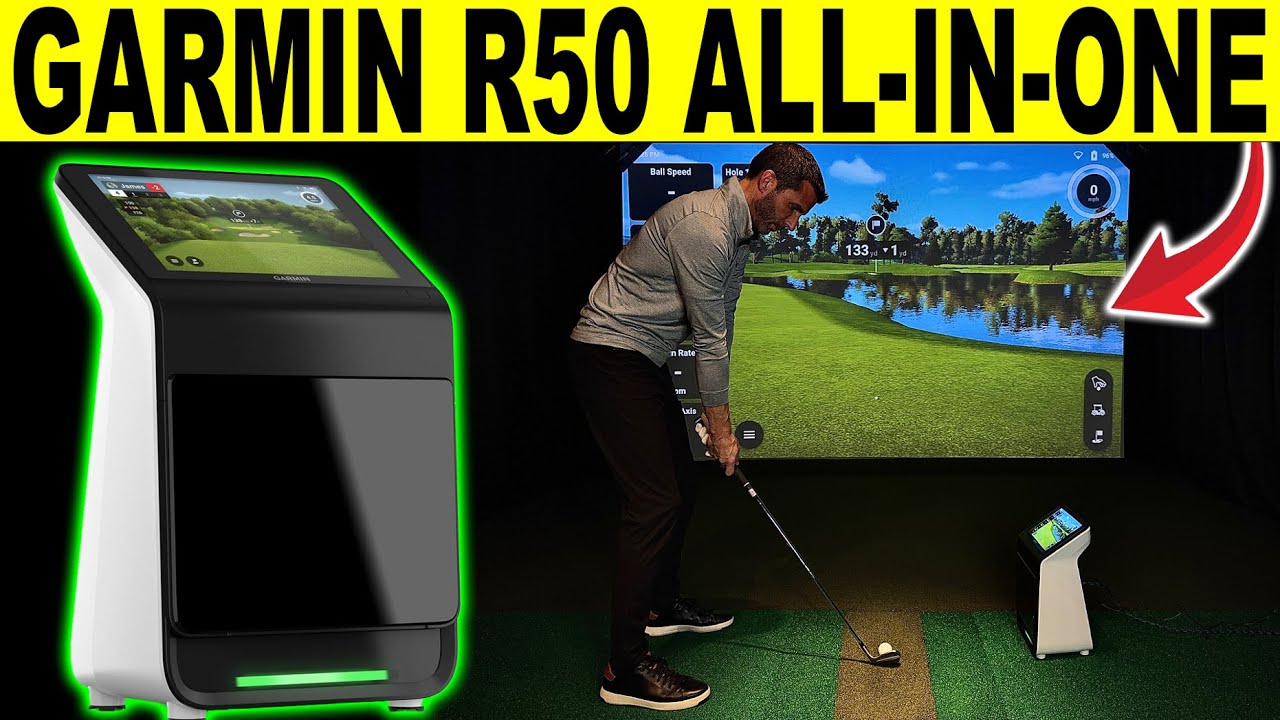
Garmin R50 Review: Unboxing, Setup, & Shots (All-In-One Golf Simulator)
Garmin R50 Review: Unboxing + indoor setup of the Garmin Approach R50 (aka Garmin R50) — the all-in-one home golf simulator + golf launch monitor with a built-in 10” touchscreen and HDMI out for a TV or Golf Simulator projector! Use Code “GSV250” to SAVE on Packages, Flooring, & Enclosures or “GSVMAT” on Mats, and GSVBUDGET on nets. Link: https://shopindoorgolf.com/collections/garmin-golf-simulator-packages?aff=277
Feel free to email me for any home golf simulator build help! a98cr125@gmail.com
In this video I keep it practical and fast: what’s in the box, how to set it up in an indoor sim space, where to place it, how to connect to an external display, and show the various settings and data it provides.
What I’m covering today (Indoor Golf Simulator Setup Focus)
Why the R50 is different
True all-in-one experience (built-in screen — no phone/tablet required just to get going)
3-camera system + impact video (great for quick feedback)
Built-in barometer so you can practice at your elevation easily.
Home Tee Hero course play including 43,000 course & new 2026 Enhanced courses with on-course practice now available.
⚠️ Note: Some simulator/course features (like Home Tee Hero 43,000+ courses) require an active Garmin Golf membership which is $9.99 per month.
(Disclosure: Some links may be affiliate links. It helps support the channel at no extra cost to you.)
#garminr50 #garminapproachr50 #garminr10 #garmingolf #golfsimulator #homegolfsimulator #garminr50review #golfequipment #golfsimulatorvideos
00:00 Why the Garmin R50 is Unique
00:28 Unboxing
01:47 Included Case
02:05 Size, Weight, & Screen
02:50 Hardware Specs
9:40 Setup, Menu, Settings, & Club Stickers
16:10 Practice Mode & Hitting Zone Size
23:44 Play Mode & On-course Practice
28:20 Chipping Test
31:55 Putting Test
33:47 Final Thoughts


2 Comments
What do you think? Thanks for watching! Feel free to email me for any home golf simulator build help! a98cr125@gmail.com
Ready to buy? You can Use Code "GSV250” to SAVE on Packages, Flooring, & Enclosures or "GSVMAT" on Mats, and GSVBUDGET on nets. Link: https://shopindoorgolf.com/collections/garmin-golf-simulator-packages?aff=277
Did I miss it? What is the price?