
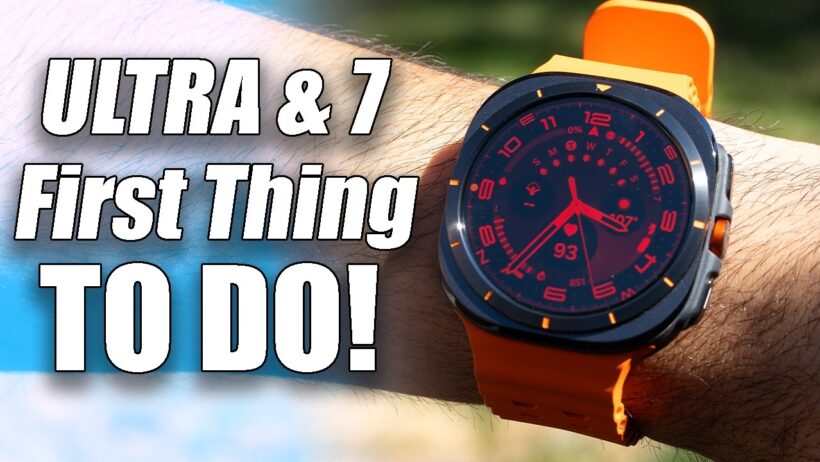
Here are all the incredible things the new Samsung Galaxy Ultra Watch and Watch 7 can do. This is not only the complete user guide, but also includes hidden features you should turn on, such as how to enable fall detection, along with tips and tricks. Enjoy!
My Samsung Flip 6 Favorite accessories:
👉Spigen Tough Case For the Flip 6 – https://amzn.to/3W7SmFW
👉SAMSUNG Galaxy Watch Ultra – https://amzn.to/3Wx6VnM
📲 Follow Me for Behind the Scenes on Social Media:
Instagram: @eddien7
X: @HOTSHOTN7
Twitch: @hotshot2ss
🔥 Exclusive Viewer Promotions and Discount Codes! 🔥
Try Audible and Get TWO FREE Audiobooks!: https://amzn.to/2QjQJCM
Try Amazon Prime 30-Day FREE TRIAL: https://amzn.to/2Qq2k3i
Amazon FreeTime Unlimited FREE Trial: https://amzn.to/2W1fsBI
🎥 Equipment Used in This Video:
Chair by Secretlab: https://bit.ly/2SEFhSa
Microphone: DJI Mic – https://amzn.to/3RQYoqA
Camera: Sony Alpha A6600 – https://amzn.to/3d0uKQU
Disclaimer: Our links may be affiliated with Amazon and other stores. To find out more, click here: http://bit.ly/2DiiOVI
Chapters
00:00 Introduction
00:16 Gesture controls
01:05 How to swap Bixby with Google Virtual Voice Assistant
01:40 Cover to mute
01:54 Samsung Wallet
02:06 Change action button
02:29 Screenshot
02:41 Auto sync photo and music
03:22 Siren
03:39 Double tap
04:28 Shake to dismiss
04:40 Knock knock
05:09 Control center
08:50 Watchfaces
10:16 Download 3rd party watchfaces
10:35 App tree manager
11:25 Ringtones
11:58 Tick sound effects
12:21 Hourly chimes
12:44 Font size
13:02 Auto launch media control
14:03 Fall detection
14:57 Developer mode hidden menu
15:33 Nightstand mode
16:02 ECG
17:13 Compass
17:37 Log meals
18:22 Free workout plans
19:07 RAM management
19:20 Tiles
I have the galaxy ultra watch. Your video is very informative, but it is way too fast. Please consider slowing down future videos. So we don't have to keep rewinding and pausing. Thank you.
WHAT! WHERE IS MY ECG
Warning – Canadian Users: Rogers will not allow you to link your Samsung Ultra watch to your cell number unless you finace the watch through Rogers. They will NOT link your phone and watch if you buy it elsewhere (e.g. Best Buy). Seems like a CRTC complaint and consumer class action to me!
Dude, get a manicure. Clean up those cuticles 😢
Isn't the color and design of that just screaming, "mug me, please!"?
My ultra doenst have a google assistant option on the long press, please advise.
You wear the strap the wrong way. Why is that?
The gestures don't work very well on wrists. I have tried to reposition the watch but still a no go. I did find out that putting it on my inner wrist works almost 96% of the time. I hope they have an update to help the sensor detect my wrist. Maybe a calibration method to help test the intensity of the knock knock and pinch movement.
My fav part about it is that it is very very very very very loud
Good watch love to have
Nice function specialy youtube ❤
Does it have the hand wash feature like the apple watch?
Thanks for the demo
My watch doesn't stay locked while on my wrist. How do I lock while wearing?
Why is my screen red.?
I dislike my galaxy ultra. It's always disconnecting from my fold 6 and makes me reset my watch then most of the time I will not work during speak to text it will say something went wrong try again
What an ugly watch 😭
Well done mate good job
How to get that red night mode screen on my galaxy watch 4
Appreciate your video, My watch is updated but I dont have the option to swap bixby with Gemmini 😢 any suggestions?
Maybe a bug, but I can wirelessly charge my GWU from my S25 Ultra. Or maybe they gave us this feature back. Great job on the video in any case.
anyone know why my watch face is white then goes bright red ? btw its the ulta watch im so confused 🙁
Very informative
Thx very helpful Hi please how To set up full-screen tiles on your Samsung Galaxy Watch Ultra 2, i mean like in watch 6
Thx lot
Please can you help me
That's not why squad cars have red interior lights. Red light travels less than white light. It's a safety thing.
Phone home screen….😅😅😅😅😅😅😅😅😅😅😅😅
That was great, thank you for the time doing this.
Thanks Eddie, much appreciated.
Very good and professional
Good Video, disappointing watches.
That strap sticking out is very annoying. I ordered straps that tuck back inside the band so they don't stick out like that. Then I switched back because the sticks way out strap is simply more comfortable and more fully adjustable in smaller increment. I've now purchased 6 different straps… still trying to find one that is just right. I really like the watch. I like being able to have different color bands to match the color of any shirt I pick as well lol. Paying $2 for bands is pretty cool.
I don't know why but I can't turn of display with hand on
Thanks for your video Thanks so much 💯💯🫰🫰