
For years, one of the things I’ve loved most about FlightScope products is that they give you a professional-level experience without requiring any subscriptions.
You buy the hardware once, and you’re good to go.
But if you’ve been eyeing the Mevo Gen 2 or the outgoing Mevo Plus, you’ve probably noticed there are two optional upgrades available: the Pro Package and Face Impact Location.
These aren’t cheap add-ons. At retail, they’ll set you back $1,000 and $499 respectively – or $1,499 if you bundle them together.
But here’s the thing: FlightScope runs sales constantly, and with our discount code BREAKINGEIGHTYPLUS, you can get significantly better pricing that makes these upgrades much more compelling.
So the question becomes: are they actually worth it? And more importantly, who should buy them?
Let’s break it all down.
The FlightScope Mevo Gen 2 vs. Mevo Plus: What’s the Difference?
Both the Mevo Gen 2 and Mevo Plus are portable Doppler radar launch monitors that work both indoors and outdoors. They provide professional-level data, connect to simulator software, and use the same FS Golf app experience.
The Mevo Plus has been my favorite overall launch monitor for years. It’s been around longer, has a proven track record, and has received countless free software updates that have made it better and better over time.
But its time is coming to an end as it’s being discontinued.
The Mevo Gen 2 is essentially the updated version of the Mevo Plus. It’s slightly smaller with a vertical orientation (think TikTok vs. YouTube), has significantly better battery life (6 hours vs. 3 hours), and benefits from improved connectivity features right out of the box.
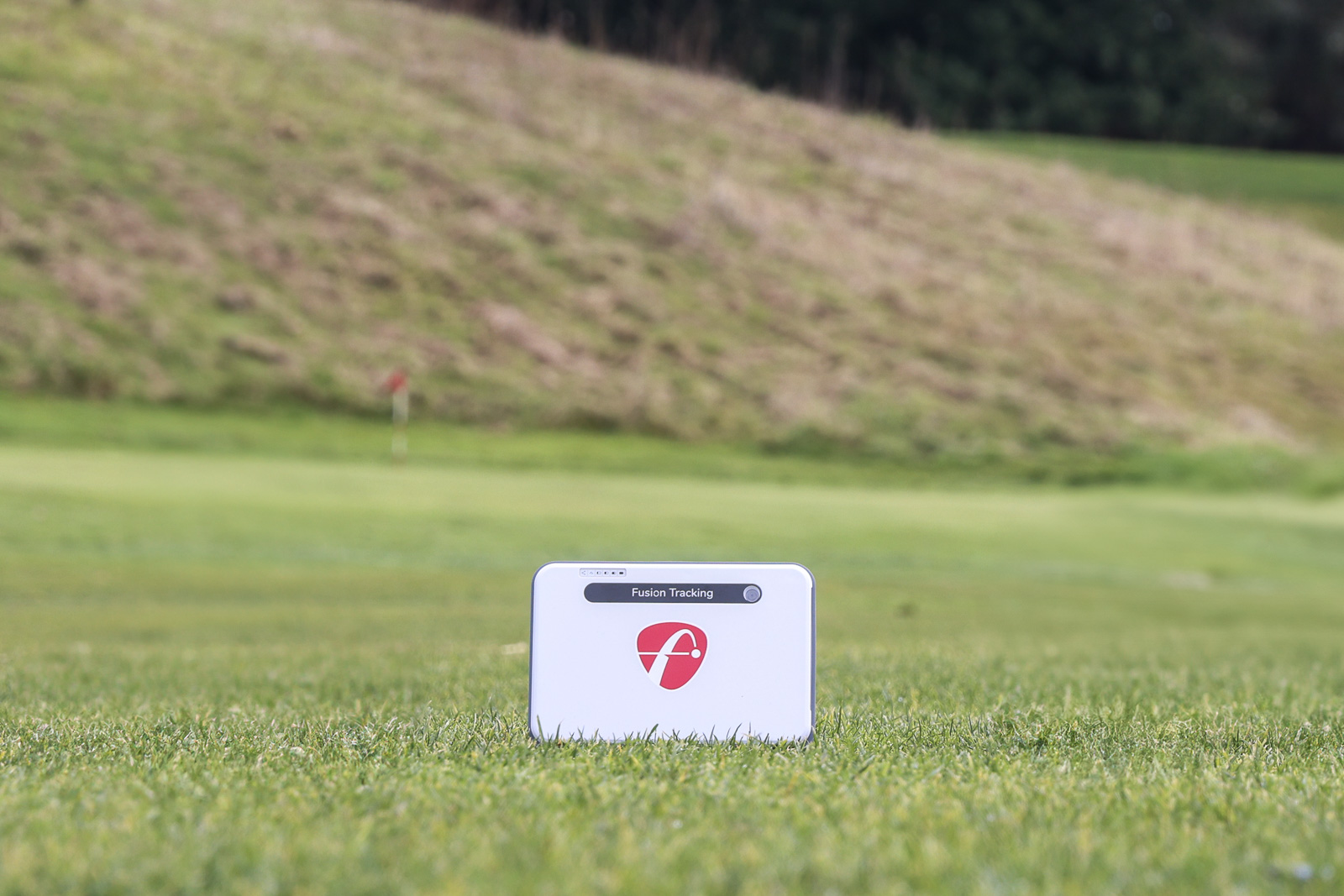 The outgoing FlightScope Mevo+.
Functionally, they provide the same base data and the same user experience. The Gen 2 just feels like the more future-proof option.
The Mevo Plus is currently being discontinued and is on closeout for $1,099 ($1044.05 with our code). The Gen 2 retails for $1,299 ($1,234 with our code). For most people, I think the extra $200ish for the Gen 2 is worth it for the better battery life and knowing you’re getting the latest hardware.
But if you’re budget-conscious, the Mevo Plus at closeout pricing is still an excellent value.
Both devices are compatible with the Pro Package and Face Impact Location upgrades, which is what we’re here to talk about.
Still debating these two? Here’s a good comparison.
What You Get with a Base Mevo Gen 2 or Mevo Plus
 Mevo Plus vs Mevo Plus Pro Package
Before we talk about the upgrades, it’s important to understand what you’re getting out of the box.
Both the Mevo Gen 2 and Mevo Plus provide comprehensive ball flight data, including:
Ball speed
Launch angle
Launch direction
Spin rate
Spin axis
Apex height
Carry distance
Total distance
Flight time
Land angle
Offline
Smash factor
Even better is that all of these metrics are measured rather than calculated. Many lower-cost launch monitors will measure 4-6 data points and then use an algorithm to figure out the rest. With the Mevo devices, these data points are actually measured where applicable, which provides more accurate results.
For most casual golfers who just want to play virtual rounds or get general feedback on their shots, this base package is more than enough. You can see exactly how far you’re hitting each club, dial in your distances, and have a blast playing courses in your simulator.
But if you’re someone who wants to really dig into the technical side of your swing and understand what’s happening at impact? That’s where these upgrades become interesting.
The Pro Package: Welcome to the D-Plane
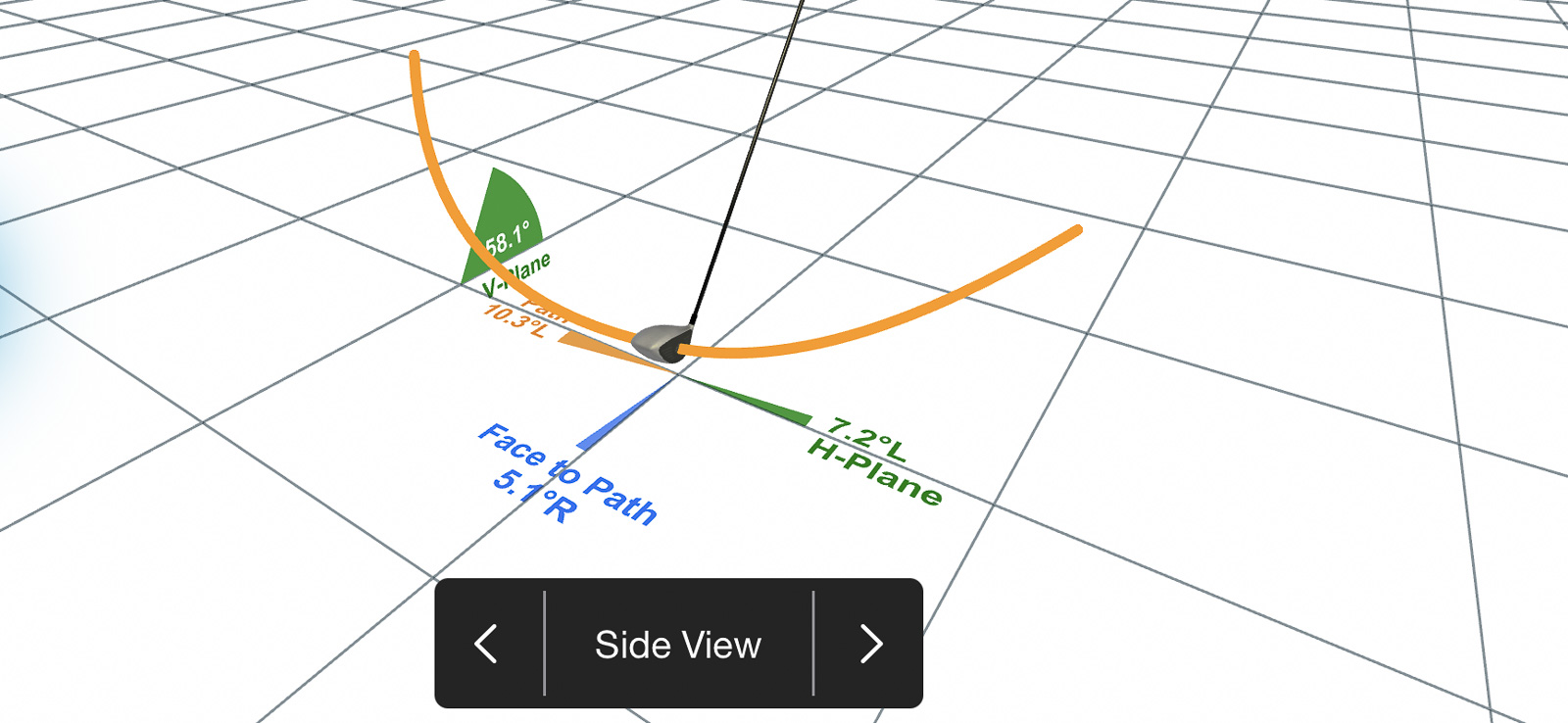
The Pro Package adds 11 additional data parameters that focus on club data and what’s happening at impact.
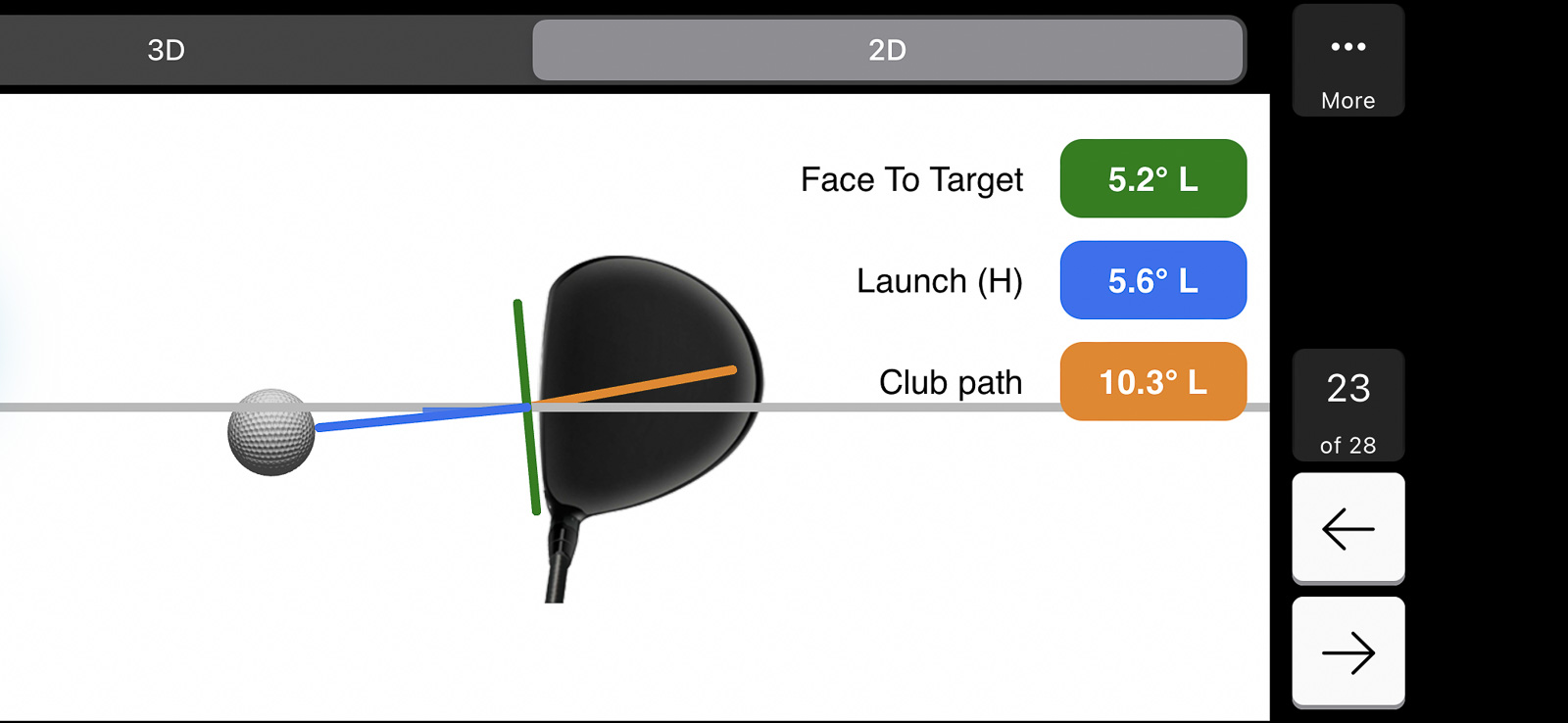 A screen only available with the Pro Package.
Here’s what you get:
Club path
Face to path
Face to target
Dynamic loft
Vertical swing plane
Horizontal swing plane
Low point
Vertical descent angle
Curve
Club speed profile
Club acceleration profile
This is what’s known as the complete d-plane dataset – essentially everything you need to understand the relationship between how the club is moving and how it’s impacting the ball.
Why Does this Matter?
If you’re working with a coach or really trying to dial in specific aspects of your swing, this data becomes invaluable.
Want to know if you’re coming over the top? Club path will tell you.
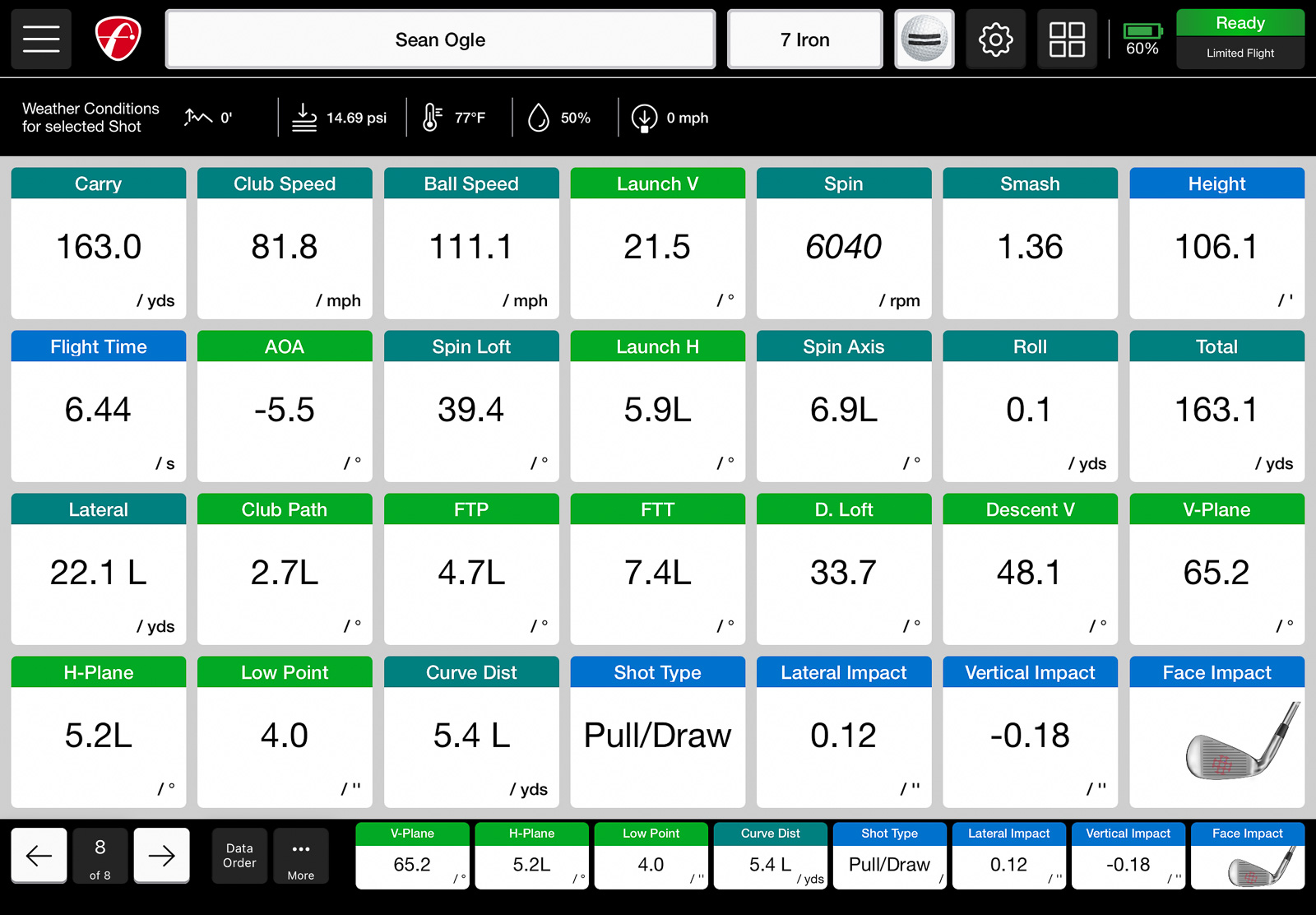 You can get so many data parameters on the FlightScope.
Trying to figure out why you can’t hit a draw? Face to path shows you exactly what’s happening at impact.
Working on strike quality with your irons? Low point data helps you see if you’re bottoming out in the right spot.
This is the kind of information that tour players and their coaches use daily. And now you can have it in your garage or at the range for a fraction of what you’d pay for a lesson package analyzing this same data.
The FlightScope Pro Package Software Experience
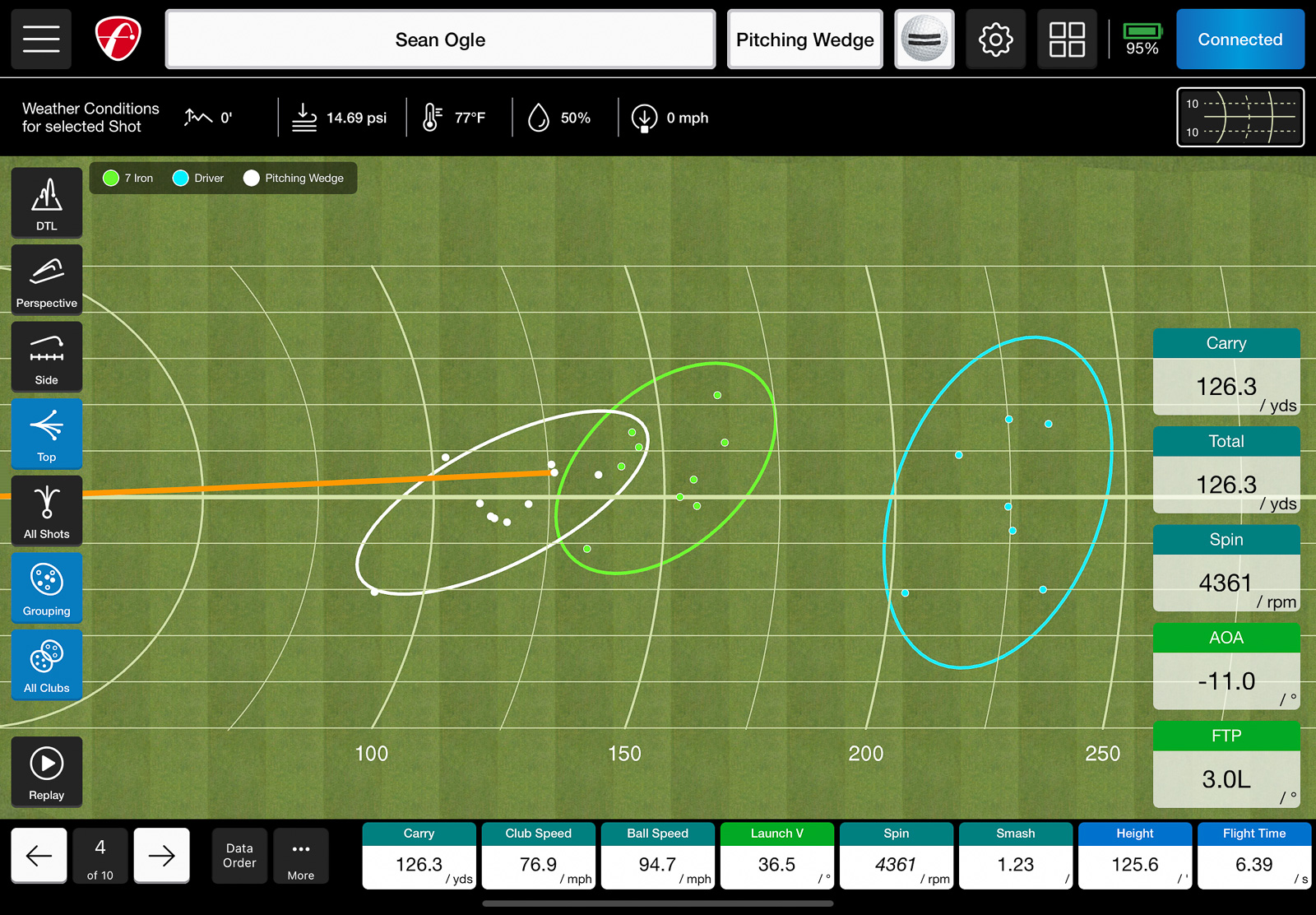 The FlightsScope software is so customizable.
One thing that really stands out is how well FlightScope presents this data in the FS Golf app.
You get both 2D and 3D club animations that show exactly what’s happening in your swing. The app lets you customize how you view the data, set margins for what you consider acceptable, and track trends over time.
It’s the same professional software experience you get with the $15,000 FlightScope X3c, just at a consumer price point.
The Pro Package also includes access to FlightScope’s Trajectory Optimizer (iOS only) and Environmental Optimizer, plus FS Golf PC 2.0 software (a $99 value on its own).
Importantly, all 11 data parameters work for both full swing shots and chipping. This makes it valuable for short game practice as well, not just bombing drivers on the range.
Face Impact Location: See Where You’re Actually Striking It
The Impact Detection add-on (officially called Face Impact Location) does exactly what it sounds like – it shows you precisely where on the clubface you’re making contact.
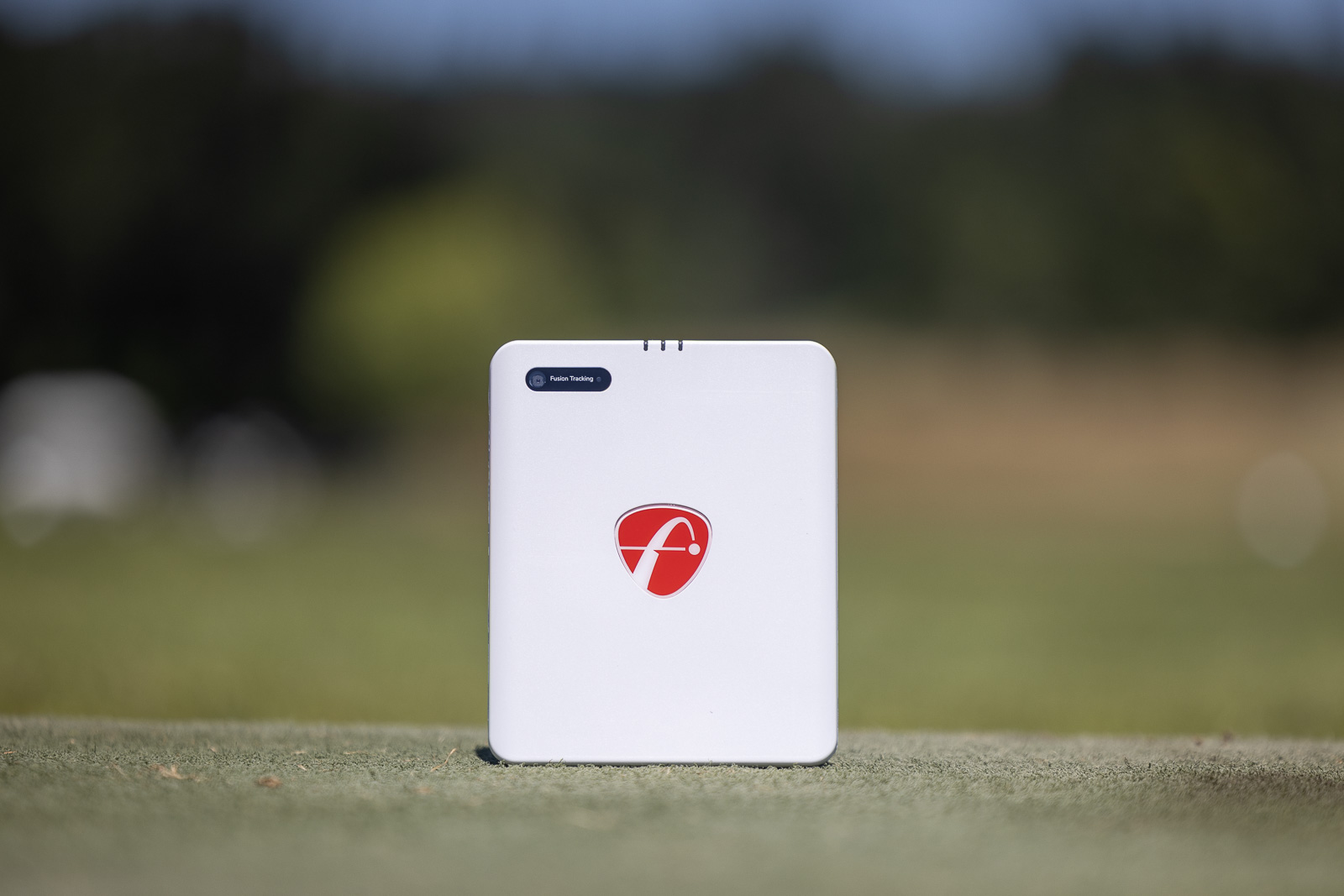
This uses FlightScope’s Fusion Tracking technology, which combines radar and high-speed camera data to pinpoint your strike location.
Face Impact Location provides:
Lateral impact position
Vertical impact position
Heat mapping visualization
Shot grouping displays
The heat maps are particularly cool. After a session, you can see the complete distribution of your strike patterns for any club in your bag. Are you consistently catching it thin? Toe strikes? The heat map makes it immediately obvious.
 Impact Detection on the Mevo devices is impressive.
For individual shots, you see exactly where you struck the ball with a precise dot on a clubface diagram, paired with all your other data for that shot.
Why Impact Location Matters
Here’s the reality: even small misses on the clubface can dramatically affect your results.
A toe strike might cost you 10-15 yards and send the ball right of target. A heel strike does the opposite. Strikes low on the face reduce spin and launch angle.
Being able to see this data helps you understand why shots that “felt okay” didn’t produce the results you expected.
It’s also incredibly valuable for club fitting. If you’re consistently striking it off-center, maybe you need different lie angles or shaft lengths.
The Lighting Requirement
One important caveat: Face Impact Location requires adequate lighting to work properly. FlightScope recommends a minimum of 300 lux in your hitting area.
If you’re outdoors in sunlight, no problem. But if you’re in a basement simulator setup with dim lighting, you may need to add some lights to get consistent readings.
Best Launch Monitor Upgrade
The Pricing Reality: Don’t Pay Retail
Here’s where things get interesting from a value perspective. FlightScope is a little cagey with their pricing, as you basically never need to pay full price. They are running sales at least 80% of the time, and then typically you can use our FlightScope discount code BREAKINGEIGHTYPLUS to save an additional 5% off that.
Retail pricing:
Pro Package: $1,000
Face Impact Location: $499
Bundle: $1,499
Typical sale pricing (which happens about 80% of the time):
Pro Package: $599
Face Impact Location: $299
Bundle: $850
After BREAKINGEIGHTYPLUS discount (5% off sale prices):
Pro Package: $569.05
Face Impact Location: $284.05
Bundle: $807.50
You should basically never pay full retail for these. FlightScope has sales running constantly, so be patient and wait for the right deal.
Even at sale prices with our discount, these represent a significant investment on top of the base unit cost. But the value proposition is pretty incredible when you consider what you’re getting.
Is the Pro Package or Impact Detection Worth It? It Depends On Your Goals
This is where I need to be honest about who should and shouldn’t buy these upgrades.
You Probably DON’T Need Them If:
You’re primarily using your launch monitor for sim golf and just having fun
You’re not actively working on swing changes with a coach
You just want to know your distances and practice casually
You’re on a tight budget, and the base unit already stretches it
For the recreational golfer who wants to play virtual rounds at Pebble Beach and occasionally check their distances at the range, the base Mevo Gen 2 or Mevo Plus are absolutely fine. These upgrades would be overkill.
You SHOULD Consider Them If:
You’re seriously working on your game and want every advantage
You work with a coach who uses data-driven instruction
You’re trying to dial in very specific swing changes
You’re doing any kind of club fitting work
You love getting deep into the numbers and analytics
You want the most comprehensive data set possible at this price point
The Value Proposition is Actually Insane
Another screen only available with Impact Detection
Here’s the thing that really stands out to me: with both upgrades combined, you’re getting more data than any other launch monitor under $10,000.
I’m not aware of any products even close to this price range that provide Impact Detection the way FlightScope does. Most devices that offer face strike data either require expensive add-ons (like Foresight’s camera system) or simply don’t provide it at all.
A fully loaded Mevo Gen 2 with Pro Package and Impact Detection will cost you around $2,041 after all discounts:
Mevo Gen 2: $1,234 (with BREAKINGEIGHTYPLUS)
Pro Package + Impact Detection Bundle: $807.50 (with code after sale pricing)
Total: $2,041.50
Just a year or two ago, a maxed-out Mevo Plus would run you around $2,650 on average, with an MSRP of about $3,600.
So you’re now getting a better product, with more capabilities, for significantly less money. That’s pretty remarkable.
And remember: no subscription fees. Ever. This is a one-time purchase that’s linked to your device for life.
My One Critique: Club Path Should Be Standard
My only real complaint is that I wish club path data was included in the base package.
It’s such a fundamental metric that even some $500 launch monitors provide. Having to pay $569 extra to get it feels like it should be baked into the base experience.
But considering how much other data you’re getting with the Pro Package, and the fact that FlightScope continues to add features via free software updates, it’s a relatively minor gripe.
Who Should Buy What?
Let me give you my recommendations for different golfer profiles:
Casual Golfer / Sim Enthusiast: Base Mevo Gen 2 ($1,234 with code) – save your money for more E6 courses or GSPro
Improving Player / Regular Practicer: Mevo Gen 2 + Pro Package ($1,803 with code) – the club data will accelerate your improvement. Impact Detection is optional here, but it does work very well, and is less than $250 extra when you bundle.
Serious Competitive Golfer / Working with Coach: Mevo Gen 2 + Pro Package + Impact Detection ($2,041.50 with code) – maximum data for maximum improvement
Club Fitter / Teaching Pro: Full package is essentially mandatory – this is professional-level data at a fraction of professional prices
Final Thoughts on FlightScope Pro Package and Impact Detection
Look, $807.50 for software add-ons can feel like a lot when you’ve already spent $1,234 on the base unit.
But when you step back and look at what you’re actually getting – professional-level club data, precise impact location detection, comprehensive d-plane information, advanced software features, and no ongoing subscription fees – the value becomes clear.
These upgrades transform the Mevo Gen 2 or Plus from a very good consumer launch monitor into a legitimate professional tool that just happens to be affordable.
The fact that FlightScope regularly discounts these packages and allows you to add them at any time (they’re lifetime licenses that link to your device) also takes away some of the pressure of the decision.
You can buy the base unit, use it for a few months, and then decide if you want to upgrade. The Pro Package and Impact Detection will still be there when you’re ready.
For me, if I’m investing in a launch monitor and I’m serious about improving my game, I’d find a way to get the full package. The data is just too valuable to pass up.
But if you’re on the fence? Start with the base unit. Get comfortable with it. See how you use it. Then make the call on whether you need more.
You could also consider the Mevo Plus, which is currently on closeout for $1,099 (before discount). It offers the same base functionality as the Gen 2, though with slightly less battery life and being discontinued. If you’re budget-conscious and don’t mind buying a product that’s being phased out, it’s still an excellent value – especially if you plan to add Pro Package and Impact Detection down the line.
Either way, you’re getting an incredible piece of technology that will help your golf game.
Best Launch Monitor Upgrade
This page contains affiliate links. This means that if you click a link and buy one of the products on this page, we may receive a commission (at no extra cost to you!) This doesn’t affect our opinions or our reviews. Everything we do is to benefit you as the reader, so all of our reviews are as honest and unbiased as possible.