
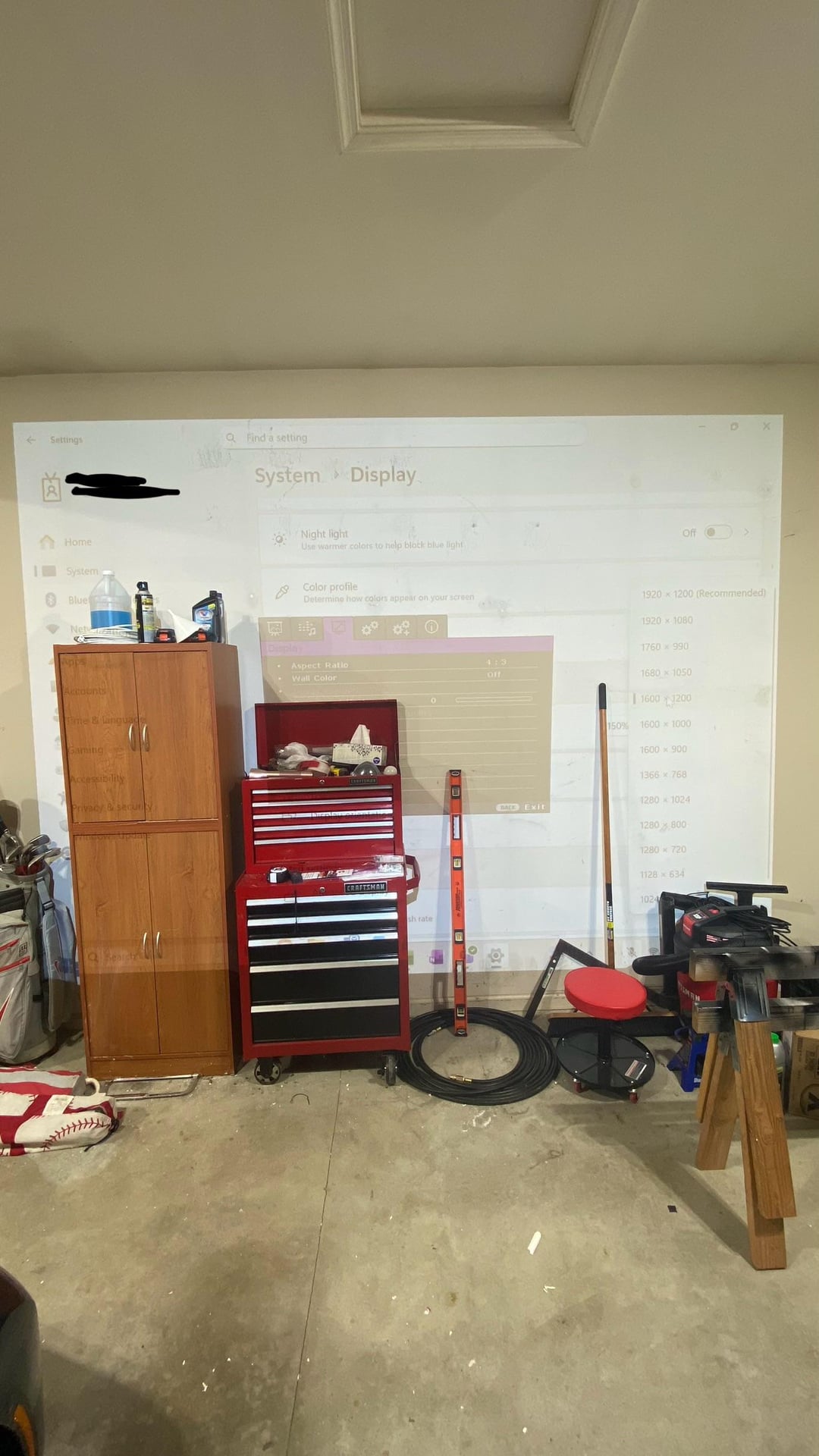
I’m stumped on this one. I bought a TH671ST, mounted based off of the desired image height and it does not match – remotely close. I’ve played around with physical zoom and adjusted as wide as possible.
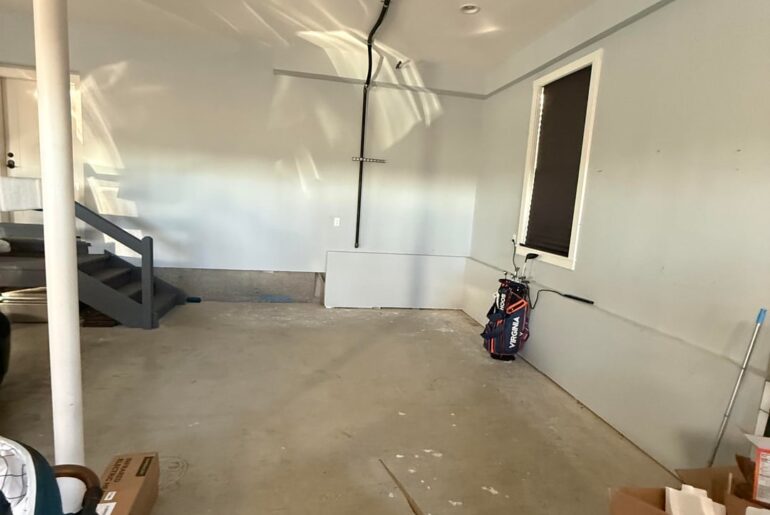
The wall in the photo (ignore my mess for now) is 10’ (120”), I still need to mount the screen 12” off and was aiming for ~110” image height. Cannot move projector too much further back as it is centered on my garage door opener and the supports will interfere with image. I bought this specific projector to suit my dimensional needs.
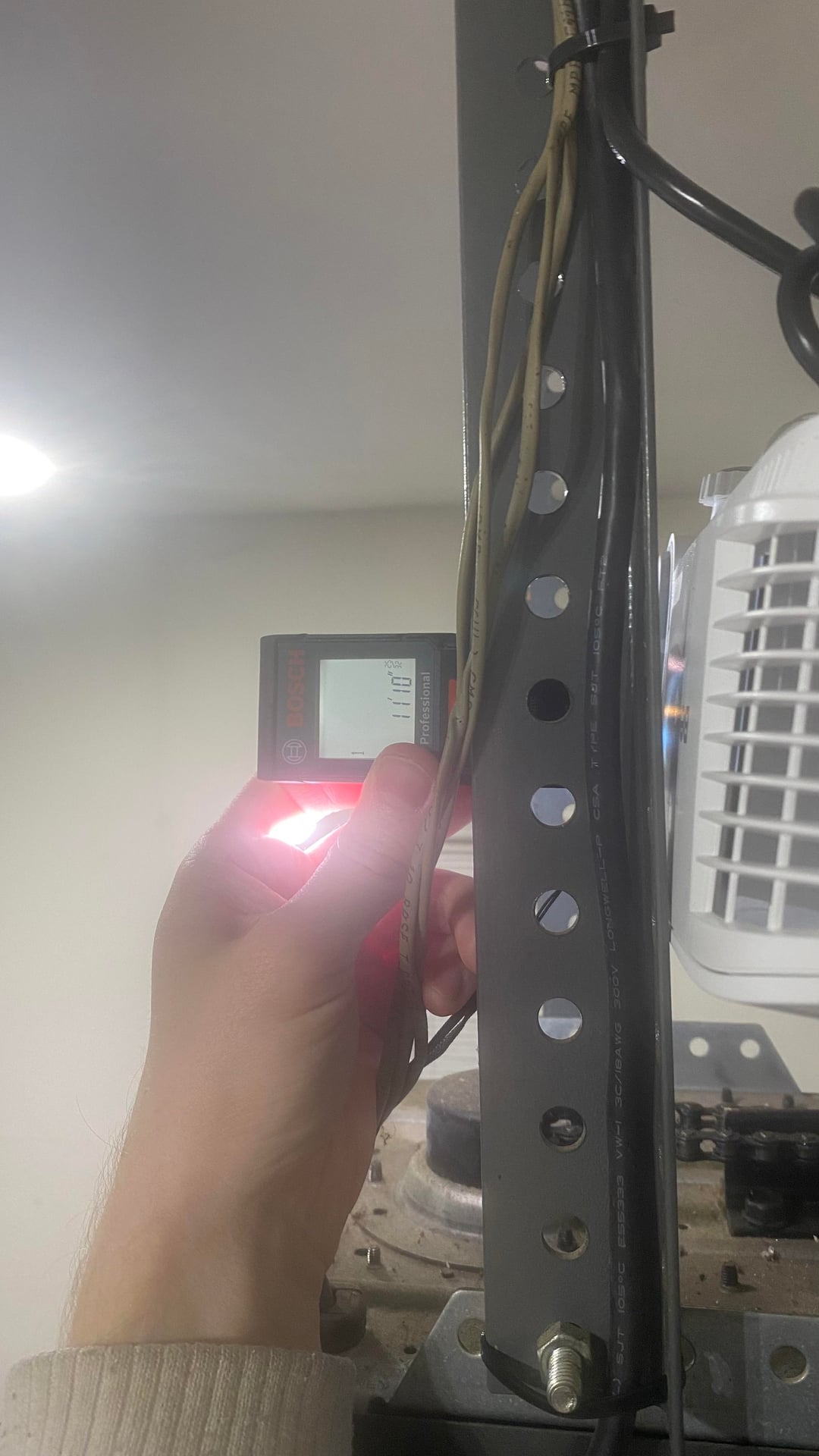
11’-10” throw distance to the wall.
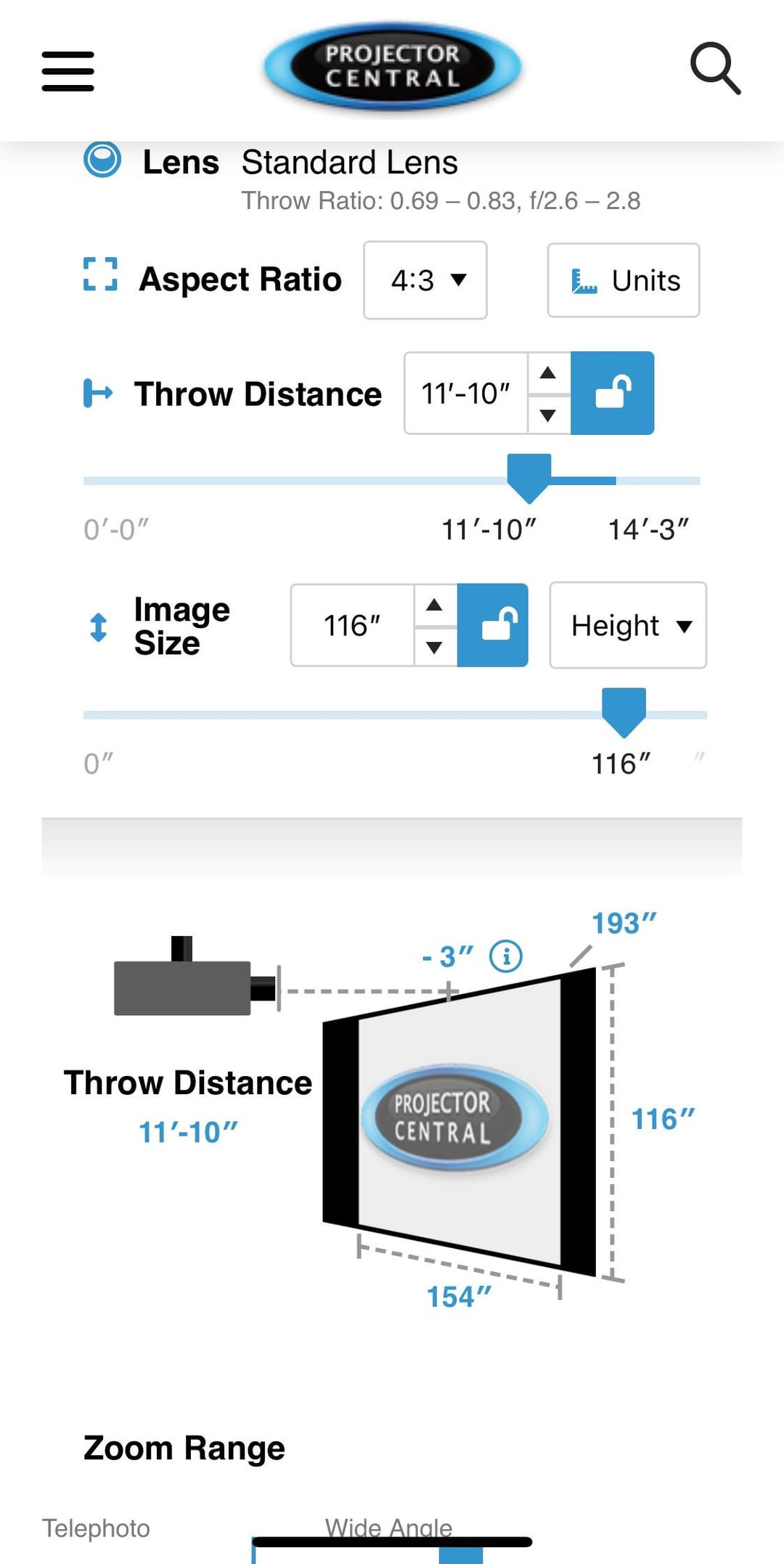
Projector Central states a 116” image height from this (
Actual image height is 104” (88” zoomed in to max)
BenQ states .69 – .83 throw ratios.
My actual throw ratios calculate as .62 – .73.
Am I missing some adjustment on the BenQ TH671ST? Hoping someone with this projector can speak to their experiences or compare their throw distance/image height.
Gladly will send someone some beer money for figuring this out with me.
by CommissionNeat7508
5 Comments
That site can be a little off – At 120″H Benq recommends a minimum throw distance of 12.3′ for that unit. That would give you 13.3’W
The throw ratio is based on a 16:9 projected image. If you’re aiming for a different ratio, you’ll need to play with distance. Projector central was inaccurate for my projector also. I ended up a few feet further back than spec.
It’s as simple as moving it forward or back until it fits, then focus
https://preview.redd.it/4olelcdbsv7g1.jpeg?width=1179&format=pjpg&auto=webp&s=77fcceabd14bbee8ebc8d20dfa3b46349c49dc2b
You got a short throw projector. Make it shorter or go 16:9.
Something similar happened to me. Turns out that I wasn’t focusing the projector. I didn’t even know you could focus a projector (I have never used one before.) So I kept zooming in and out and moving it back and forth and nothing worked. Eventually I *accidentally* rotated the lens and realized that this rotation focused the picture. After that realization, I was able to make it work perfectly from a variety of different distances.